Process List
The process list shows the queries that are running on the database server right now, so you can find a slow or stuck query and stop it.
It's available for PostgreSQL (including Greenplum and Redshift), MySQL, MariaDB, and Microsoft SQL Server. For other drivers, such as SQLite, TablePlus shows a message that the process list isn't supported.
Open the process list
With a connection open, use one of these:
- Navigate to Tools > Process List.
- Press
⌘ + .1 - Press
⌘ + Pto open Open Anything and choose Cancel Running Queries. - While a query runs in the SQL Editor, click Cancel next to the run button. For these drivers, it opens the process list so you can stop the query on the server.
The process list opens as a sheet over the workspace. It uses its own connection to the server, so it works even while the workspace is busy running a query.
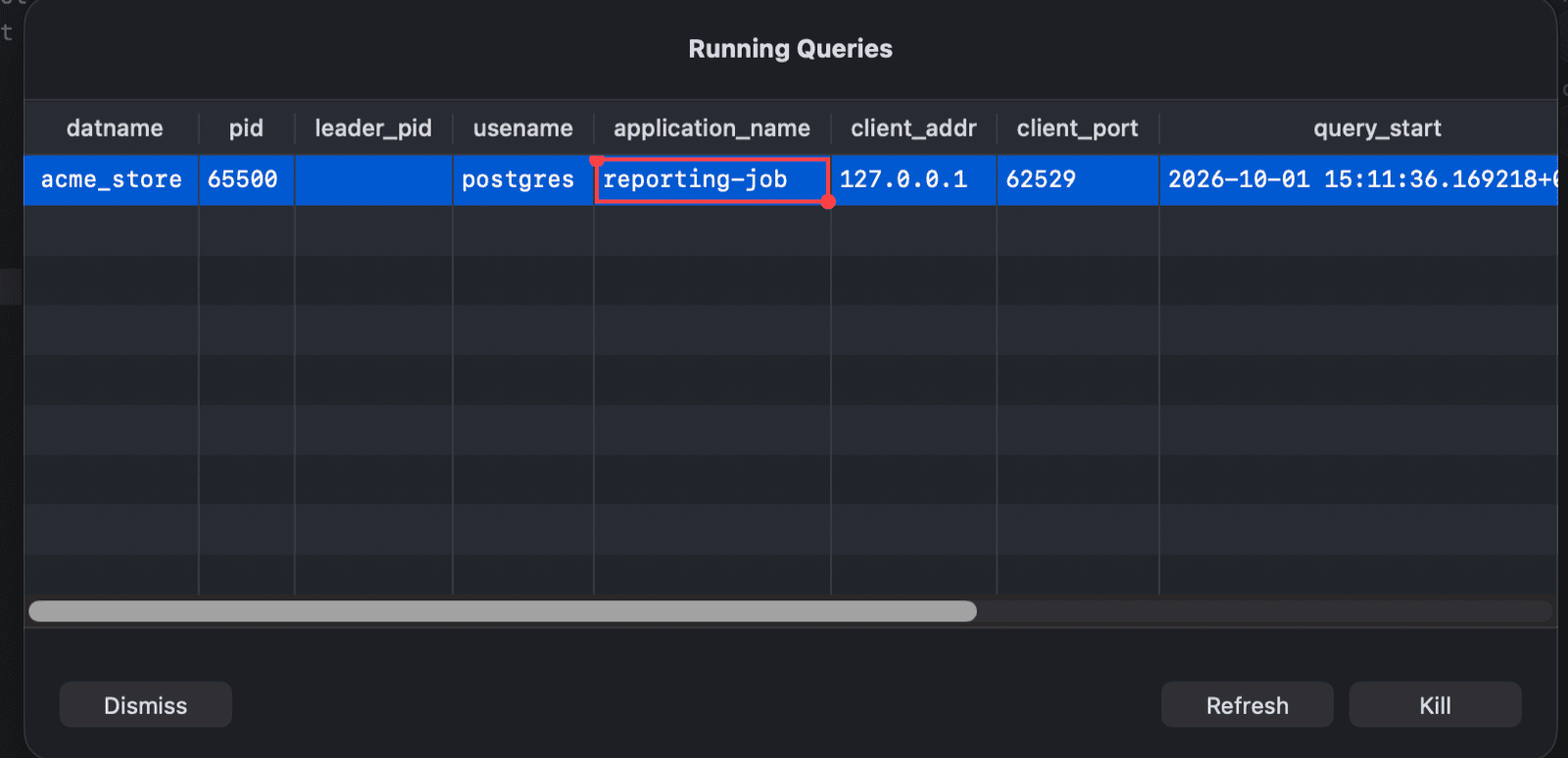
Read the list
Each row is a running query. The columns come from the server:
- PostgreSQL: the active (not idle) sessions from
pg_stat_activity, such aspid,datname,usename,application_name,client_addr,query_start,state, andquery, newest first. - MySQL and MariaDB: the queries from
information_schema.processlistfor one database. The list on the left shows the databases on the server. Select one to see its queries, and use the search field above it to find a database. - SQL Server: the running requests with their session ID, status, CPU time, elapsed time, and query text.
Click a column header to sort by it. Click Refresh to reload the list.
Right-click the list to copy the selected rows or cells (as CSV, JSON, HTML, Markdown, or plain text), open them in Quick Look, or export the current page.
Stop a query
- Select one or more queries. Hold
⌘orShiftto select several. - Click Kill.
TablePlus sends:
| Driver | Statement | Effect |
|---|---|---|
| PostgreSQL | SELECT pg_cancel_backend(pid); |
Cancels the query. The session stays connected. |
| MySQL, MariaDB | KILL QUERY id; |
Stops the query. The connection stays open. |
| SQL Server | KILL spid; |
Ends the session and rolls back its open transaction. |
If the connection has safe mode turned on, TablePlus shows the statement and asks you to confirm (or enter the database password) first.
Click Dismiss to close the process list.
-
On Windows and Linux, use
Ctrl + .. ↩︎